On every machine
Your SSH config and your VS Code folders are there from the first launch. Nothing to install on the servers.
Now for Mac, Windows and Linux
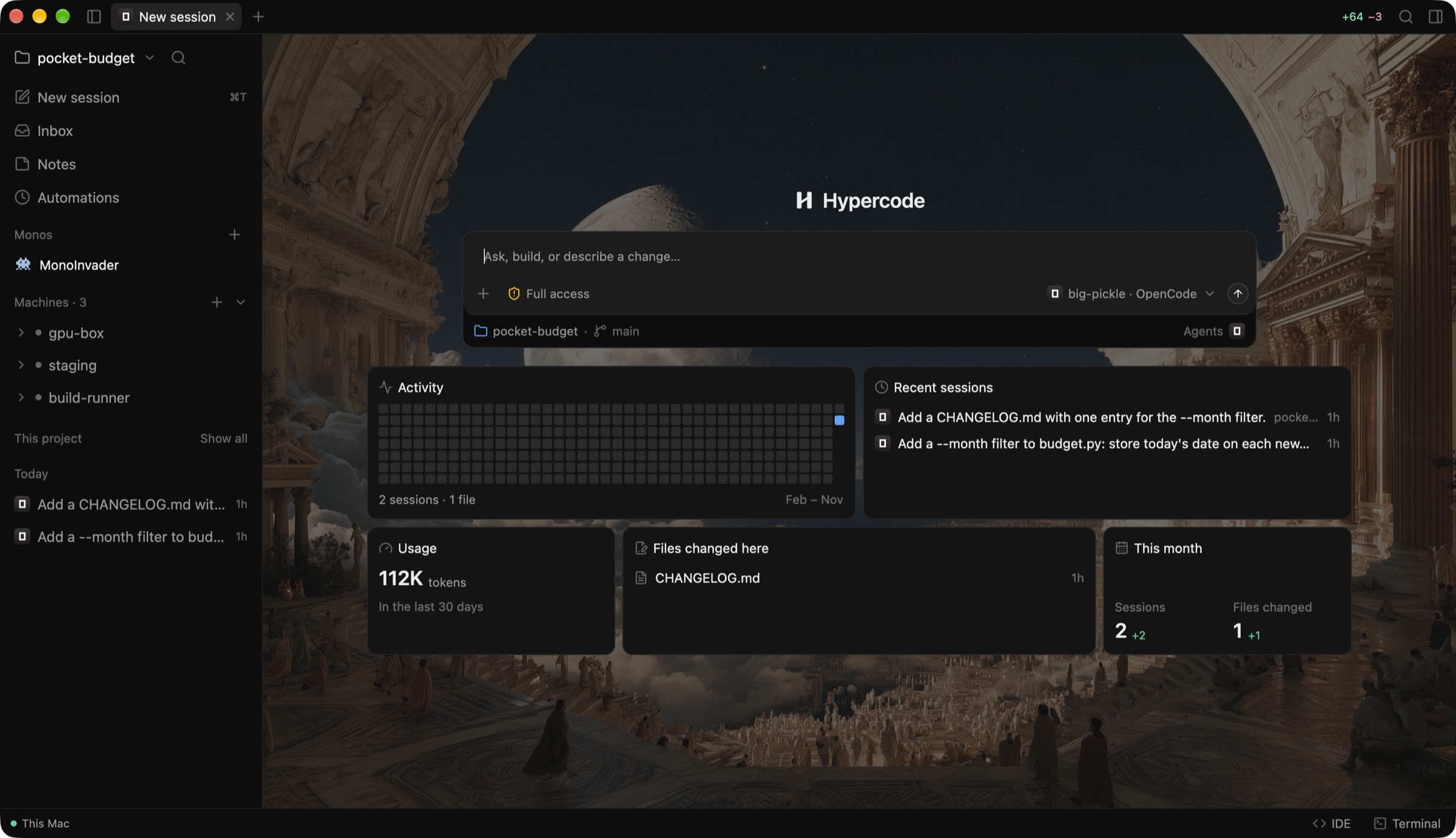
Build with Claude Code, Codex, OpenCode and more, beside your editor, files, changes and terminal, on your computer or on any server you reach over SSH.
 Claude Code
 Codex
 OpenCode
 Gemini
 Cursor
 Grok
 Copilot
and Qwen Code, Goose, Devin, Antigravity, Hermes, fx, Pi and Oh My Pi
How it works
Ask in the chat and the agent works on the project where it lives. Hypercode keeps the conversation, the code it changed and the history together, whichever agent you ask and whichever machine it runs on.
Your SSH config and your VS Code folders are there from the first launch. Nothing to install on the servers.
Start with /operator and the agent opens sessions of its own, here or on your servers, reads what they did and steers them.
Tokens by agent and model on every machine, what's left on your plans, and the API price of it all.
Hand a conversation to another agent and it picks up with everything said so far.
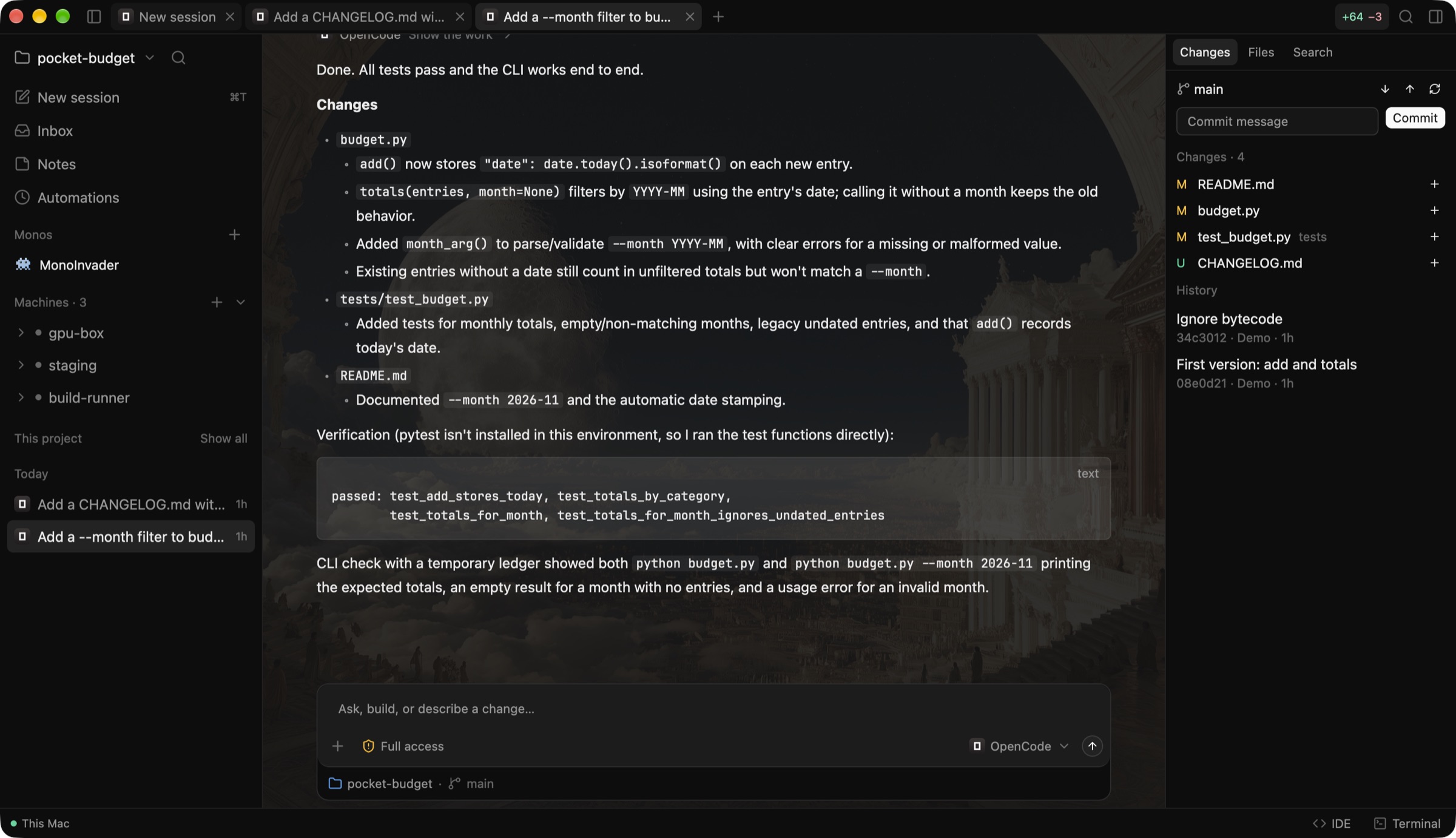
Every file an agent touched, its diff and a commit box, beside the chat.
Prompts that run on a schedule or when something happens on GitHub, on the machine you choose.
A Mono is an agent of your own. It keeps what you tell it, runs habits on a schedule and checks in when something needs you.
Every file the agent touched is in the Changes panel, ready to review and commit. Press ⌘E for IDE view: the editor, the project's files, search and a terminal take the room beside the chat. Every session, yours and each agent's own on every machine, is in one list you can search.
Approvals, finished sessions, automation runs and GitHub reviews in one place.
Markdown notes for each project. Attach one to any message.
A code editor, the project's files, search and a terminal, on whichever machine the project lives.
See which agents are installed and signed in on each machine; install, update or sign in from one place.
Continue with GitHub to see your repositories, pull requests and issues, and clone any of them to a machine.
Every command in one table: change any shortcut, and see a clash before it happens.
Hypercode has no account and no servers of its own. It talks to GitHub, your agents' providers and your machines, and nothing else.
Download it and start. Connecting GitHub is optional.
API keys and the GitHub sign-in stay in your system's keychain and reach an agent only as its environment.
Each agent runs on your computer or your server, signed in with your own account.
Conversations and notes are kept on your computer, in Hypercode's own folder.
Version 0.1.0. Install it on the computer in front of you; your servers only need Linux on x86-64 or ARM64 and SSH.
macOS 12 or later, Apple silicon or Intel.
Download for MacNot notarized yet. If macOS stops it the first time, open System Settings › Privacy & Security and choose Open Anyway.
Windows 10 or 11 on x64.
Download for WindowsUnzip it and run hypercode.exe. If SmartScreen warns you, choose More info › Run anyway.
x86-64 or ARM64, with glibc 2.35 or newer (Ubuntu 22.04, Debian 12 and later) and Vulkan graphics.
Unpack it anywhere and run ./install.sh to add Hypercode to your app launcher.